Mastering Vale Sangora Duels
The Blood of Dawnwalker Combat Guide
Combat in The Blood of Dawnwalker is deliberate, tactical, and stance-driven. Rather than mashing attacks, successful survival requires verifying your weapon readiness, mastering target lock-on, respecting directional parry cues, and managing multi-enemy space. Use this structured troubleshooting guide to diagnose combat friction early.
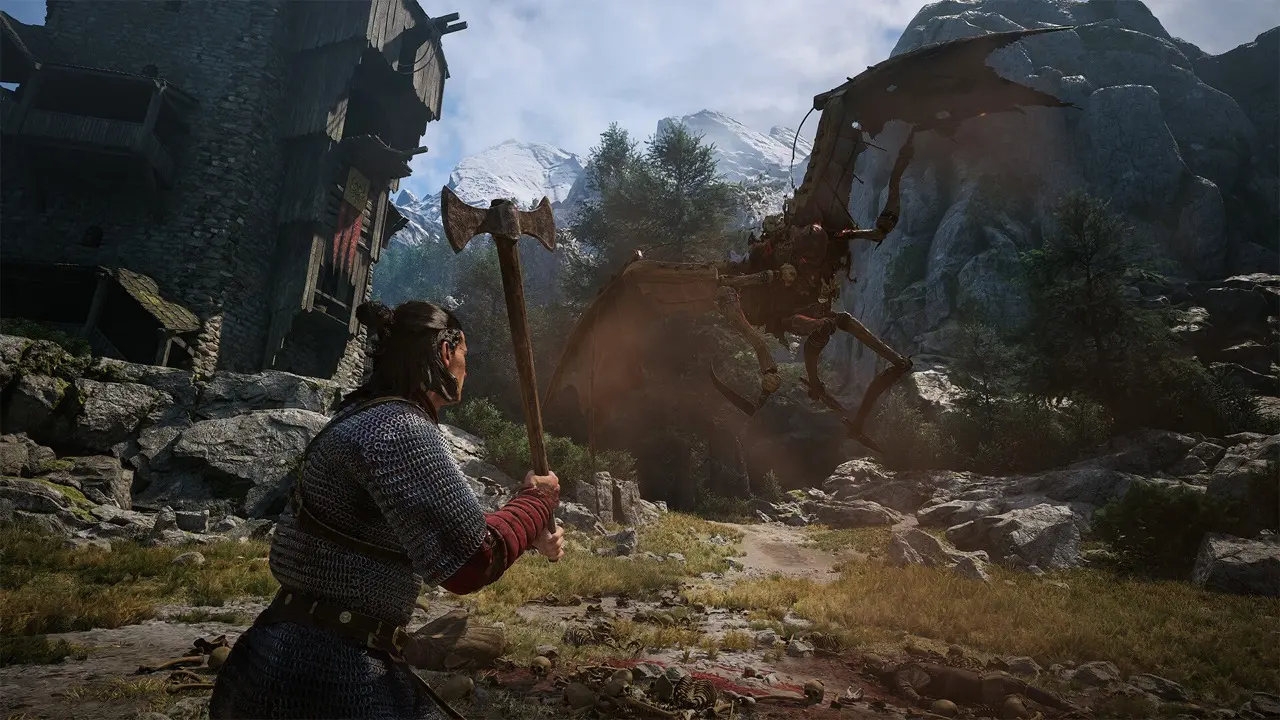
Quick Diagnostic Order: Combat Friction
- Weapon Readiness Checklist: Check whether your blade is actively drawn or sheathed before engaging.
- Target Lock-On (Community-Reported): Steam players report single-target lock-on helps center attention on an opponent, but camera tracking in crowds remains an observation to test.
- Directional Stance (Community-Reported): Align your guard with incoming attacks rather than holding passive blocks.
- Space Management: Disengage and reposition when multiple foes attempt to surround you.
Before the First Skirmish
Coen's dual nature alters your combat toolkit fundamentally between day and night. Understanding what you carry before drawing steel avoids early confusion:
- Daytime Loadout (Human): Steel longswords, curved blades, directional parries, and offensive witchcraft hexes.
- Nighttime Loadout (Vampire): Razor claws, predatory leaping, Shadowstep smoke dash, and self-healing blood siphoning.
- Automatic Transition: Equipment and abilities swap automatically at dawn and dusk. Ensure your active loadout matches the current hour.
Target Lock-On, Auto Block and the Settings That Matter
Two combat settings decide more about how the game feels than the preset does. Hard lock-on is the one to leave alone: it hops between targets and fights the soft lock the engine already applies, so free aim reads cleaner, especially when three enemies are circling you. Auto Block is the other. With it on, a wrong directional guess still blocks, paying stamina instead of health — useful while the directional grammar is still new. It is available on Story only; every preset above that switches it off, along with using consumables straight from the inventory. Once you are off Auto Block, a clean Perfect Block costs no stamina at all and staggers far harder than a held guard, so the trade is worth making as soon as the timing clicks.
Directional Blocking & Parrying Mechanics
Directional defense in The Blood of Dawnwalker emphasizes active blade orientation:
- Directional Alignment: Angle your guard toward incoming strikes to deflect blade impacts.
- Parry Rhythm: A timed defensive alignment just before impact creates an opening for a counter-riposte.
- Directional Parry & Assists: The game features Advanced Adjustable Difficulty and combat accessibility assists. If strict directional timing feels demanding, you can enable combat assists or select Story / Fair presets to widen parry windows.
- Stamina Awareness: Continuous passive holding drains stamina quickly against heavy weapon blows.
- Blocking Stopped Responding? Update the game first. Hotfix 1.0.4 fixed a bug that could switch blocking off under certain circumstances.
Why Is Coen Fighting with Fists? Diagnostic Checklist
Unexpected unarmed attacks have been reported during combat. Follow this diagnostic checklist to verify character readiness in the current build:
- Weapon Draw State: Check whether Coen has actively drawn his blade or is in a sheathed stance before attacking.
- Equipped Weapon Slot: Verify in the inventory that a weapon is actively slotted into your current daytime loadout.
- Nighttime Form: In vampire form, Coen does not wield steel blades; combat relies on supernatural claws and strikes.
- Input Profiles: On PC, check for overlapping key bindings or controller stick deadzone settings in Steam Input.
Multi-Enemy Encounters: Space Management Checklist
- Avoid Encirclement: Back away into open space or narrow bottlenecks to keep all threats in front of you.
- Prioritize Threat Angles: Deal with ranged attackers and flankers first to simplify incoming directions.
- Reset Spacing: Use evasive maneuvers to reset positioning rather than trading hits when outnumbered.
Difficulty & Combat Dynamics
Higher presets make enemies more aggressive and leave Coen less stamina, and you can switch presets at any point. If directional timing feels excessively punishing, review our Difficulty Guide to drop to Fair or Story, or fine-tune the RPG and Action Difficulty menus instead.
Launch-Week Community Combat Reports
Steam discussion threads report varied experiences with directional parrying and controller dead zones. These reports highlight player adjustments in Steam Input rather than standardized mechanical changes.
Sources & Verification Ledger
- Official PlayStation Store (2026-09-03): Adjustable difficulty and accessibility documentation.
- IGN Review & Launch Coverage (2026-08-31): Directional combat design and day/night weapon loadout analysis.
- Steam Community Discussion (2026-09-04): Combat friction thread on lock-on, weapon readiness, and directional mechanics.
Combat mechanics verified as of 2026-09-03 against official documentation and media gameplay analysis. Community reports are labeled accordingly.
Difficulty Presets GuideWeapons & Gear GuideSteam
Combat & Parrying FAQs
Does The Blood of Dawnwalker have a target lock-on feature?
Target lock-on is available to keep your guard facing a primary opponent. In multi-enemy brawls, toggle lock-on dynamically to reposition and avoid blindside strikes.
Can directional blocking be disabled or customized?
The game provides Advanced Adjustable Difficulty and accessibility toggles, allowing you to widen directional parry windows and adjust combat timing to match your playstyle.
Why is my character punching instead of drawing his sword?
Check your weapon draw state, verify your equipped loadout slot in the inventory, or confirm whether you are in nighttime form where Coen uses claws rather than steel.
Which difficulty preset is recommended for mastering combat?
Fair is the recommended baseline for balanced dueling, while Story offers an accessible entry point to learn mechanics without steep combat pressure.